About a month ago, I started shopping for a new monitor. My existing ultrawide was getting old, and I wanted the obvious upgrade: a newer, higher-resolution ultrawide with more room and sharper text.
I did not buy one.
Instead, I bought an M5 Apple Vision Pro.
That is an absurd sentence. Vision Pro costs two or three times as much as the monitors I was considering, puts a computer on my face, and belongs to a product category that still feels like an experiment. But after using it as my primary work display for a month, I can answer the question that justified the purchase:
Does it replace my monitor? Yes. It really does.
It is not a perfect replacement, and it is definitely not the sensible choice for everyone. It is also the first change to my workspace in years that has made working at a computer feel new again.
Buying into an uncertain product line
The biggest concern was not the weight or even the price. It was buying into a product line with an uncertain future.
That concern is not completely invented. In October 2025, The Verge, citing Bloomberg, reported that Apple had halted work on a lighter Vision Pro headset and reassigned people to its smart-glasses effort.
Two weeks later, Apple announced the M5 Vision Pro with better display rendering, refresh rates up to 120Hz, longer battery life, and the Dual Knit Band. That showed continued investment in the current product, but it did not clarify whether a lighter or cheaper successor was coming.
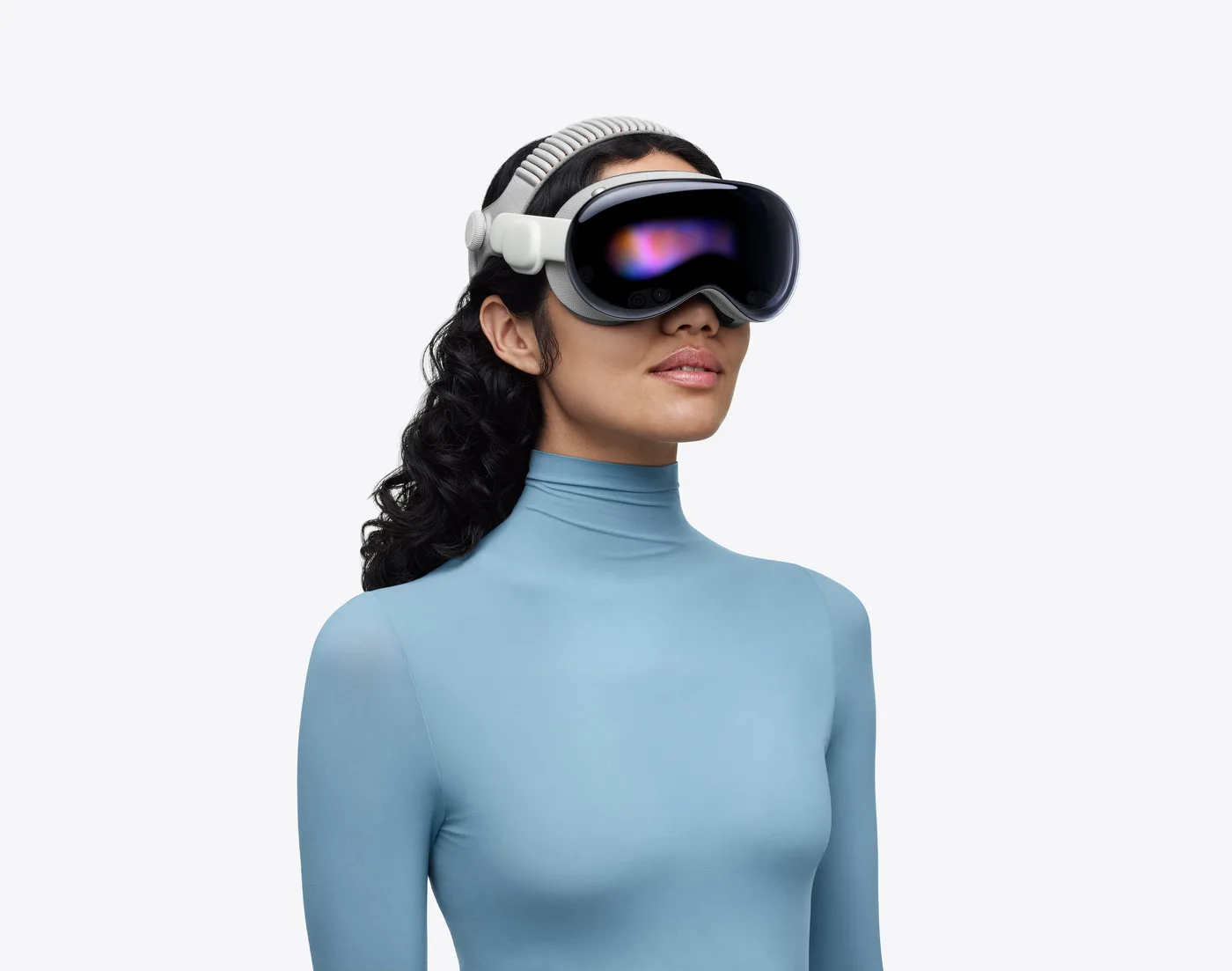
I decided not to buy it based on what Apple might ship next. I bought it for what the current hardware could do today. If this version never leads to a cheaper, lighter successor, it still has to be useful enough on its own.
After a month, it is.
The virtual workspace is the product
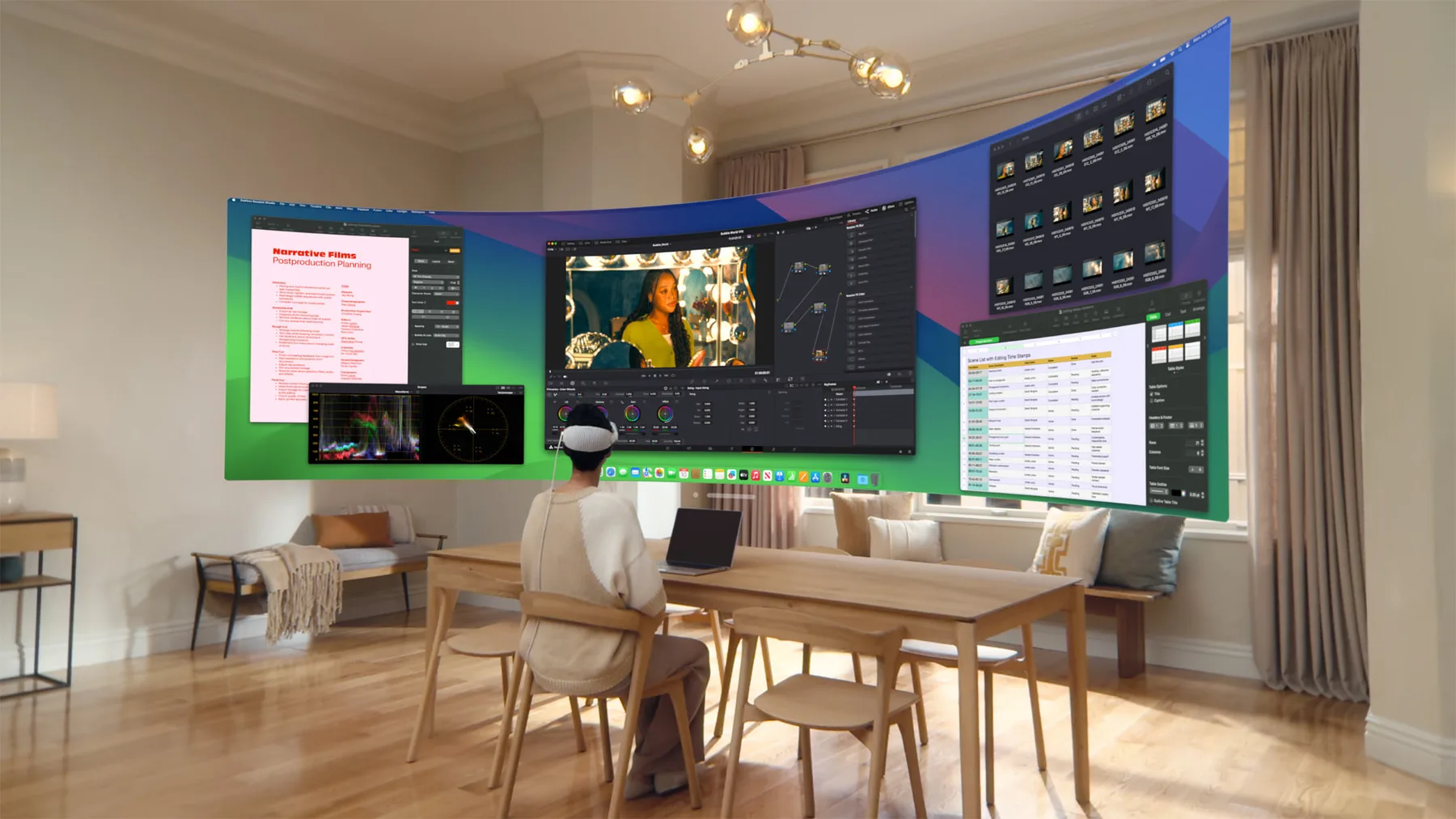
The centerpiece of Vision Pro is not the native app ecosystem. The native visionOS selection still feels thin, and many of the available apps are compatible iPad apps. The centerpiece is Mac Virtual Display.
The ultrawide setting is excellent for the kind of work I do. Research no longer means cycling through a pile of tabs. I can keep the browser, editor, terminal, notes, and whatever else I need visible at the same time. The space is wide enough that applications can become places instead of tabs I keep losing.
When I need less, I switch to Wide. When I need to concentrate on one thing, I use Standard. The workspace changes with the work instead of forcing every task into the same physical rectangle.
It also changes with my body. If my neck feels strained, I move the display lower. If text feels too far away, I bring the whole thing closer and make it larger. If I find a more comfortable position in another room, I bring my keyboard with me and reconnect to the same Mac desktop from there.
A physical monitor tells me where and how to sit. Vision Pro lets the desk mold around me.
That is the part that feels like the future. Not because it is virtual reality, but because the screen is no longer furniture.
The comfort problem became a feature
Vision Pro is not comfortable enough to forget that I am wearing it. After a few hours, I want it off my face.
That sounds like a clear negative, and for many people it will be. For me, it has become an unexpected positive.
When the headset starts bothering me, I take it off. That breaks the spell of work. I stand up, stretch, walk away, get water, or talk to someone. With a normal monitor, I can sit in the same position and disappear into a problem for far too long. Vision Pro puts a natural limit on that session.
A computer probably should not need to become uncomfortable to remind me to move, but this one does, and I move more because of it.
Everything around the Mac stays responsive
The Mac desktop may be the center of my work, but it is not the only thing running. I can have a podcast, a video, or a baseball game open natively in visionOS while the Mac handles the actual work.
Apple says the M5 model renders 10 percent more pixels than its predecessor and can raise the refresh rate to 120Hz. I did not benchmark it or compare it with the M2 model. What I can say is that native media apps remain responsive alongside Mac Virtual Display without the experience feeling overloaded.
The eye-and-hand controls also get out of the way once I settle in. There is an adjustment period where every glance feels deliberate. Eventually, I stop thinking about it. I look at something, pinch, and move on. When I am in the zone, it feels natural.
The built-in speakers are also close to perfect for casual sound. Podcasts, a game in the background, or a video do not require another device in my ears. The sound is present without completely closing me off from the room.
Environments are a focus tool
The most special part of Vision Pro might be Environments.
When I need to remove distractions, I turn the room down and put myself somewhere else. A beach, a mountain, or another quiet landscape replaces the visual noise around me. Add noise-canceling earbuds and it becomes an extremely effective way to disappear into work.
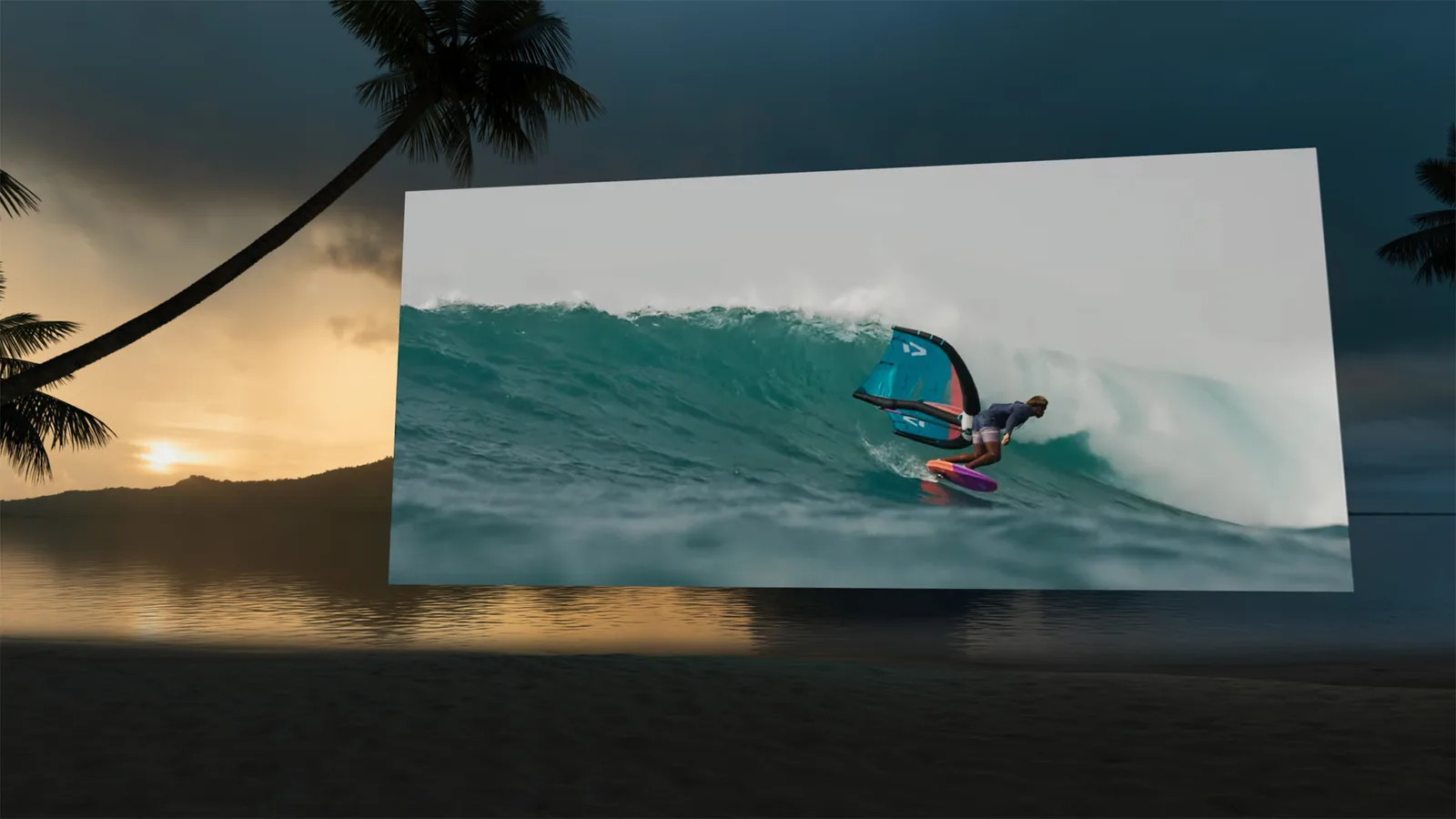
This is more than a fancy background. My home office is still my home. There are chores, people moving around, and all the familiar objects that remind me of something else I could be doing. An Environment removes those signals without requiring me to leave.
It creates a work experience no physical monitor can reproduce. I can sit at the same desk but feel like I changed locations. That reset is useful, especially when working from home starts to feel repetitive.
Mac Virtual Display is not as crisp as a high-resolution monitor
Can I tell the difference between Mac Virtual Display and looking directly at a high-resolution desktop monitor? Yes.
The virtual Mac desktop is not quite as sharp as a great physical panel. There is still a layer between me and the Mac: cameras, displays, rendering, and streaming. If absolute text clarity is the only measurement, a traditional high-resolution monitor wins.
That ended up mattering less than I expected. Everything is right in front of me, and I can adjust it to match what feels comfortable that day. I can move the display closer, make it larger, and change the font scaling without rearranging a desk or leaning toward a panel.
I have not experienced the eye strain I expected. Being able to resize and reposition the workspace whenever I want has been more valuable than having the sharpest possible fixed image.
The physical monitor wins the screenshot comparison. Vision Pro wins the workspace comparison.
It is also the best media device I own
That is the work case. Outside work, the purchase becomes easier to defend.
Replacing a monitor is how I justified buying Vision Pro. Media is how it earns more of its price.
When I am not working, it is the best device I have used for watching movies, YouTube, or sports by myself. I can lie in bed and put a screen wherever I want. I do not have to hold a phone or iPad, build a structure out of pillows, or adjust myself to wherever a television happens to be mounted.
The screen comes to me. That sounds minor until you use it, and then every fixed television starts to feel strangely inflexible.
This does not make the price reasonable. Vision Pro still costs two or three times more than the monitor I set out to buy. But the comparison is not monitor versus headset. It is monitor, personal theater, focus room, and portable workspace versus headset. Whether that math works is still personal, but at least it is more honest.
Isolation is a feature until it is not
Vision Pro isolates me from my family. I work from home, so that matters.
The strange thing is that the headset also creates a clear signal. When the goggles are on, Dad is busy. When they are off, come in and talk. A closed office door can mean the same thing, but I do not always want to close the door. Vision Pro makes the boundary obvious.
That does not remove my responsibility to notice when I have been inside too long. Isolation can help me focus, but it can also make it easy to miss what is happening around me. I have to use it intentionally.
I suspect an office would work the same way. If Chris has the goggles on, he is in do-not-disturb mode. If they are off, ask whether he has a minute. Is it a little silly? Sure. But I am over 45. I have exhausted most of my embarrassment about looking silly while trying to get work done.
When the goggles come off, let us grab a beer and talk.
One month later
I went looking for a better version of the monitor I already had. I ended up with a desk and environment that can reshape itself around whatever I am doing.
Vision Pro is expensive. It gets uncomfortable. It is isolating. Its native software library is not the reason to buy it, and the future of the product line is uncertain. A real high-resolution monitor still produces a sharper Mac desktop.
None of that changes my answer.
For my work, Vision Pro replaces my monitor today. It gives me more useful space, lets me work from more positions and places, creates a focus mode that no monitor can match, and doubles as an exceptional media device when the work is done.
I would not recommend it to the average computer user. I would recommend it to developers and other desk-bound professionals who value flexible screen space enough to tolerate the weight and justify paying far more than the cost of a good display.
I hope Apple has a bigger plan for Vision Pro. The concept is too good to remain this expensive and this heavy. A lighter, cheaper version could turn an impressive experiment into a normal way to work.
Until then, if you need me, check the goggles. If they are on, I am probably zoned out on a beach watching my agents write code.